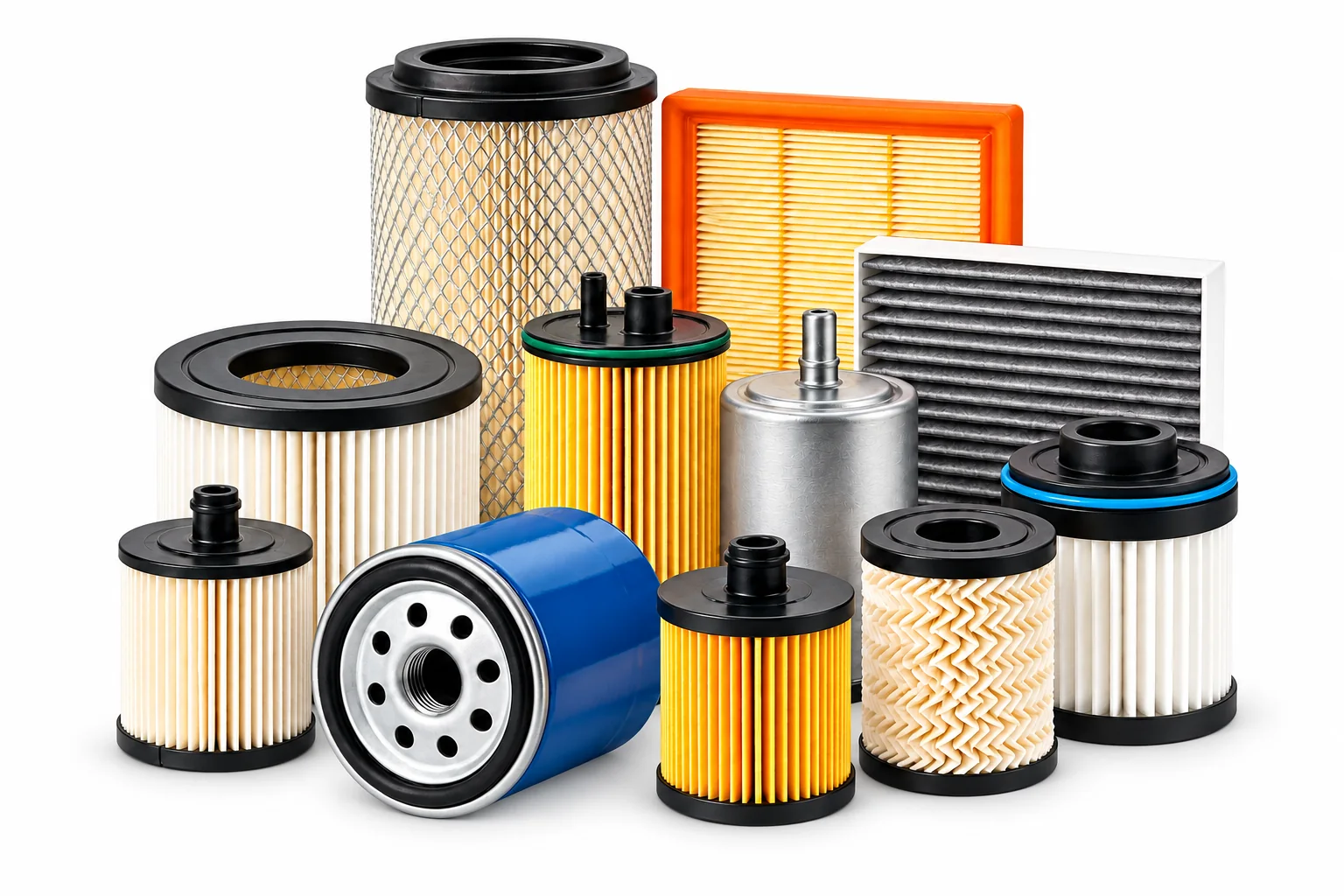

This guide is written for business buyers. Confirm product applications, technical data, commercial terms and market requirements with the selected supplier before ordering.
For an importer, wholesaler or aftermarket brand, inconsistent automotive filter product data can turn a good part into a hard-to-sell SKU. Missing application notes, mixed-up OE references or an invented identifier can create catalog errors, quote delays and avoidable fitment questions. Use this automotive filter product data checklist to build cleaner listings before you publish a catalog or request a wholesale quote.
Why accurate filter catalog data matters to distributors
Buyers often work across spreadsheets, ecommerce catalogs and purchasing systems. If the same filter has different identifiers, dimensions or application notes in each file, sales and warehouse teams may not know which record is authoritative. A consistent product master helps your team compare like with like, answer fitment questions and maintain repeat-order records.
Google’s Merchant Center guidance also emphasizes accurate product titles and descriptions, stable item IDs, and correct product identifiers when a Merchant Center feed is used. That guidance is specifically for product data feeds; following it does not guarantee search ranking or inclusion. The underlying discipline—clear, verified product records—is useful for B2B catalogs too.
10 fields to verify in an automotive filter product data sheet
1. Your internal SKU
Assign one stable SKU to each sellable item or variant. Keep it unchanged across quotations, product pages, labels and repeat orders. If packaging or design variants are separate items, make the distinction clear in your own SKU system.
2. Filter type and product title
Name the product plainly: oil filter, fuel filter, engine air filter or cabin air filter. Add a confirmed part reference or meaningful distinguishing feature where it helps buyers tell variants apart. Avoid stuffing every cross-reference into the title.
3. OE/OEM references and cross-references
Store OE/OEM numbers separately from aftermarket cross-references. Record the source and verification status for each reference, and flag superseded or unconfirmed data. A cross-reference is a catalog relationship to verify—not automatically proof that every listed item is interchangeable.
4. Brand, MPN and GTIN (when available)
Keep the product brand, manufacturer part number (MPN) and global trade item number (GTIN) in separate fields. Do not use an OE reference as a GTIN or invent an identifier to fill a blank. Google says to submit a GTIN only when it is assigned and known to be correct; where a product has no GTIN, use the identifiers that genuinely apply. Confirm requirements for the specific channel you use.
5. Vehicle or equipment application
Capture the make, model, year range, engine or equipment details and market needed to distinguish applications. Use the level of detail supported by a reliable catalog or source record. If fitment is not confirmed, label it for review rather than publishing a broad “fits all” claim.
6. Dimensions and interfaces
Record available dimensions with units and identify what each measurement means. Note connection style, port positions, gasket or mounting details when verified. Dimensions help buyers cross-check a part but should not be presented as sole proof of application.
7. Verified technical attributes
Include only documented details relevant to that filter, such as media type, construction, sensor provision or other application-specific features. Link the data to the exact part or revision. Do not transfer a feature from one model in a product family to every SKU.
8. Product image and descriptive alt text
Use a clear image of the correct product and variant. Write concise alt text that describes what is actually shown—for example, “automotive oil filter HL-1234, spin-on type” only if those details are verified. Alt text should help users who cannot see the image, not serve as a list of search terms.
9. Packaging and labeling
Record units per box, carton quantity, label language, barcode placement and private-label artwork status where applicable. Separate confirmed packaging specifications from items still awaiting buyer approval. For export orders, align the carton and label records with the agreed purchase order.
10. Source, owner and last-checked date
For each key field, keep a source or responsible owner and the date it was last checked. Add a review status such as confirmed, needs supplier confirmation or do not publish. This makes it easier to correct stale application data before it spreads into multiple channels.
A practical workflow before publishing a filter listing
- Start from the supplier’s current catalog, approved drawing or confirmed product record.
- Match the source data to one SKU and one exact product variant.
- Separate OE references, cross-references, MPN and GTIN fields.
- Check application notes, measurements, images and packaging against the same variant.
- Have a second person review uncertain data and mark unresolved fields clearly.
- Export a small test batch to your catalog or feed, then inspect how titles and identifiers display.
- Keep a change log so later revisions do not silently overwrite approved information.
Buyer checklist: Before approving a listing, confirm SKU, filter category, title, reference sources, fitment scope, units, verified product attributes, image/alt text, packaging details and review date. If the source data conflicts, pause publication and ask for clarification.
Frequently asked questions
Should I put every OE number in the product title?
Usually keep the title readable and use structured reference fields or a cross-reference table for the full list. Include only the identifiers that help buyers distinguish the item and that you have verified.
Can an OE number be used as the GTIN?
Do not assume so. OE references and GTINs serve different identification roles. Use a GTIN only when one has actually been assigned to the product and verified; otherwise leave the GTIN field empty and follow the rules of the relevant sales channel.
What should I do when fitment data is incomplete?
Mark the record as pending verification, restrict the application claim and request the missing vehicle or product details from the data source. Do not fill gaps by guessing.
Conclusion: build a reliable filter product master
Accurate automotive filter product data is a practical sales and operations tool. Keep identifiers distinct, tie fitment and technical claims to the exact variant, and preserve a source and review date. That gives your sales team a cleaner basis for catalog listings and wholesale enquiries.
Explore our oil filters, fuel filters, air filters and cabin air filters. For help checking references, see our OE number and cross-reference guide and recent diesel fuel filter fitment checklist. To discuss a product list or wholesale requirements, send an RFQ; you can also review our quality information, factory, company overview and buyer FAQs.
Google product data references: Product data specification; GTIN attribute guidance; Unique product identifiers. Merchant Center feed rules apply when using that service; check current requirements for your own channel.